About Connected Service

Registering Your User Information

User Information Setup

If you are using the MyMazda app for the first time, you need to register your user information.

Create a User Profile

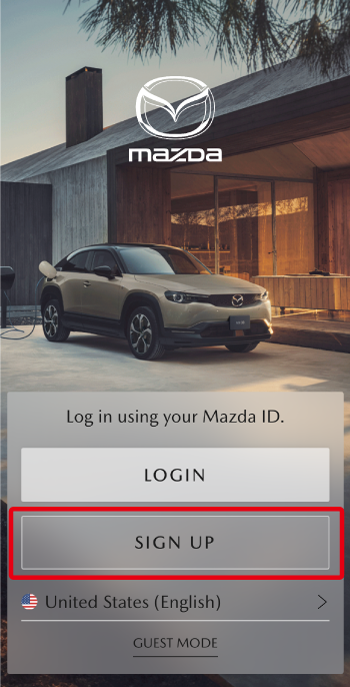
From the MyMazDA app login screen, select [Sign Up] and follow the on-screen instructions.

Please review the following notes before completing user registration.

Enter Email Address

The following email address formats cannot be used:

A dot (.) immediately before the at symbol (@) or at the beginning of the email address
Consecutive dots (.) before the at symbol (@)
Symbols other than those specified (※ excluded)

Email Address Verification

The email verification code sent to your email is valid for 10 minutes from the time it is sent.
Once the validity period has expired, the verification code can no longer be used.
Tap [Resend] to receive a new verification code.

Enter Mobile Phone Number

If you have already completed a Connected Services contract at a Mazda dealer or similar location, please enter the mobile phone number that was registered at the time of the contract. Be sure to select USA(+1) as the country code.
If a country other than USA is selected, the 6-digit SMS verification code will not be delivered to the registered mobile phone number, and registration cannot be completed.

Enter SMS Verification Code

The SMS verification code sent via SMS (text message) is valid for 10 minutes from the time it is sent.
Once the validity period has expired, the code cannot be used.
Tap [Resend] to receive a new SMS verification code.
After entering the SMS verification code, please complete user information registration within 60 minutes.

Create Account

After your user information is displayed, you can edit it before submitting.
If you select [Don’t Allow] on the screen stating “MyMazda would like to access your contacts”, manually enter the required fields (*Required) and tap [Submit].
Passwords used in the MyMazda app must be 6 to 16 characters long and include a combination of letters and numbers. The following characters can be used:
 - Letters (A–Z, a–z)
 - Numbers (0–9)
 - Symbols (@ * $ . ! %)
The information registered here can be changed from [Main Menu] → [Profile].