Using Connected Service

Vehicle Malfunction Notification

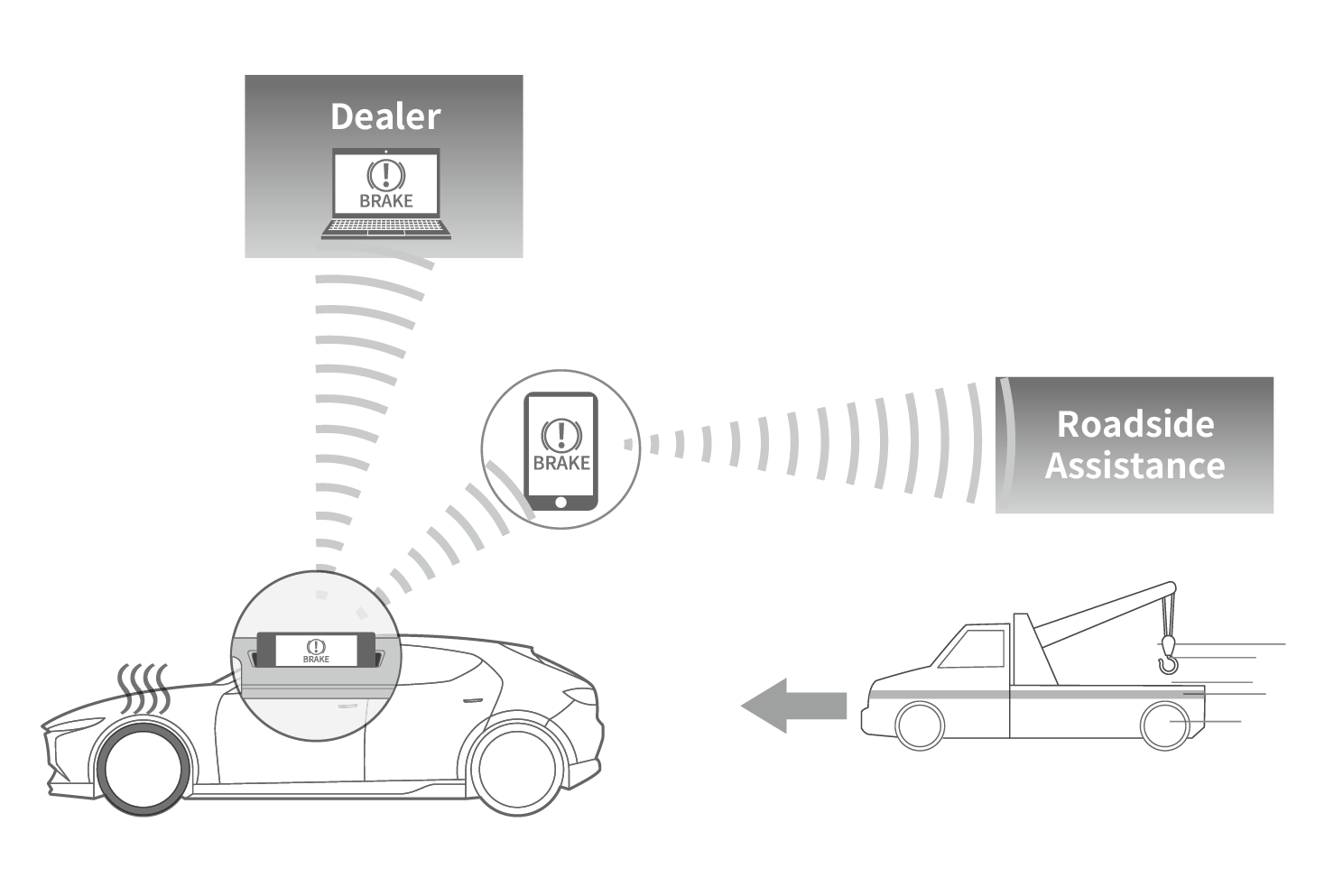
The system receives information from the vehicle in the unlikely event of a vehicle malfunction and customer support is provided.

Information about the malfunction can be checked from the vehicle or the MyMazda App.
A dealer or roadside assistance can be contacted at the MyMazda APP malfunction check screen.

When contacting a dealer to discuss repairs, the dealer can verify the vehicle malfunction from the system. A technician can provide an explanation of the malfunction and provide guidance based on the condition of the vehicle.
Position information is sent automatically to roadside assistance when contacting them through the MyMazda APP, eliminating the need for the driver to describe their location.

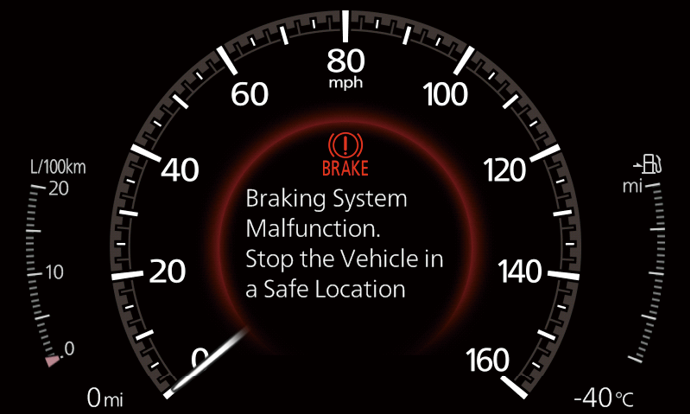
If a malfunction occurs with the vehicle, notifications of the malfunction conditions are as follows. The screen display varies depending on the vehicle model.:

  • Example of a notification in the instrument cluster.
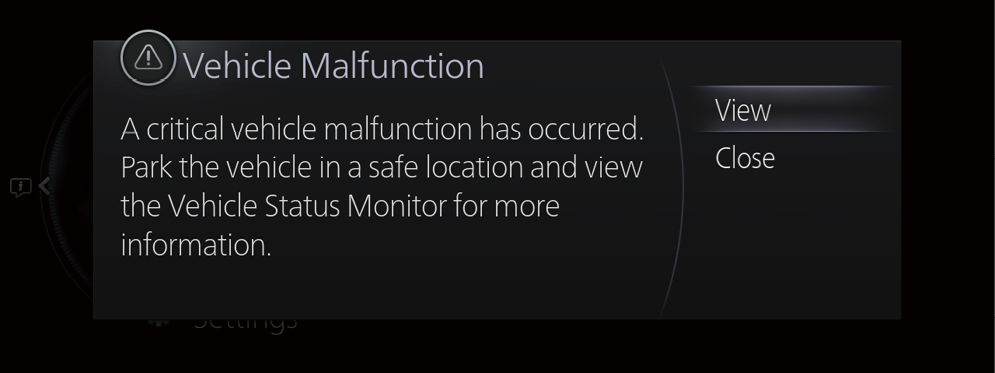
  • Example of a notification on the center display.
    A notice of a significant malfunction.
    If a serious malfunction occurs, the malfunction information is displayed by a pop-up message.
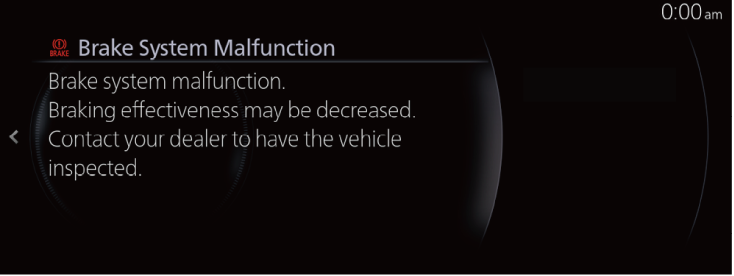
  • Information display on the Vehicle Status Monitor
  • Depending on the type of malfunction that occurred, there are differences in the types of notices.
  • For details about the indications in the instrument cluster and in the center display, refer to the owner’s manual of the vehicle and the Mazda Connect Owner’s Manual.
  • When contacting roadside assistance from the vehicle, refer to Mazda Connect Owner’s Manual and use the hands-free function. Roadside assistance can also be contacted through the MyMazda APP.

If a malfunction occurs in the vehicle, the MyMazda APP will also be linked with the malfunction information through the system.
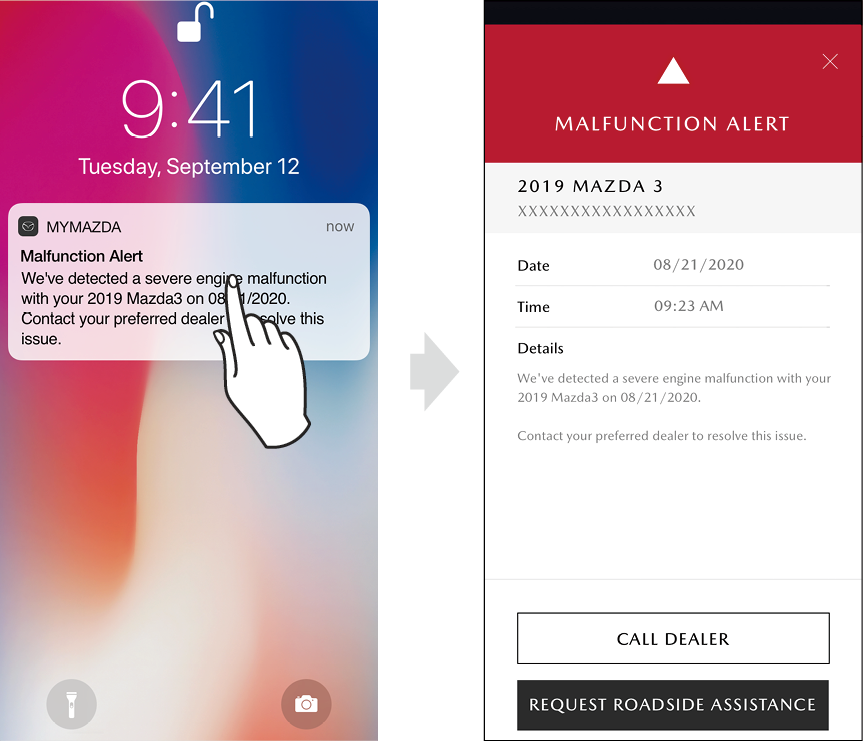
If the vehicle cannot be driven due to a certain malfunction, the device receives information about the malfunction and a notice will be displayed without having to launch the MyMazda APP. Touching the notice on the display shows the details of the malfunction.

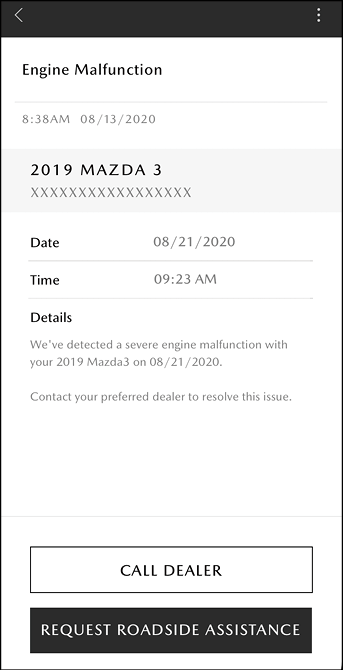
On the malfunction alert screen, roadside assistance or a dealer can be contacted. Past notices can be checked from the Inbox.
Using the Menus of the MyMazda APP/INBOX

[In Case of a Serious Malfunction] (U.S.A.)

  • Touch CALL ROADSIDE ASSISTANCE to make a call to roadside assistance.
  • By touching CALL DEALER the driver can call a dealer.

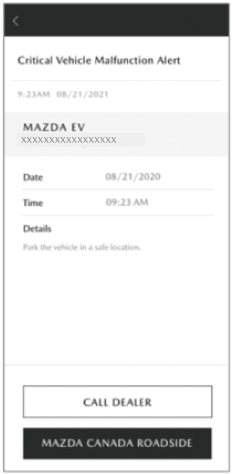
[In Case of a Serious Malfunction] (Canada)

  • When you touch [MAZDA CANADA ROADSIDE], the Mazda Canada Roadside application is displayed. If the Mazda Canada Roadside application has not been installed, the Apple Store or Google Play is displayed.
  • By touching CALL DEALER the driver can call a dealer.

[In Case of a Non-Serious Malfunction] (U.S.A.&Canada)

  • Touch CALL DEALER to make a call to your preferred dealer.
  • When you touch SCHEDULE SERVICE, a service-in reservation screen to the dealer is displayed.
  • Depending on the type of malfunction, there are differences in the types of notices.
  • Not all malfunctions result in a notification.
  • Roadside assistance can also be contacted from here.
  • Contact to a preferred dealer can also be made from here.